
Mesh Wi-Fi systems represent a significant evolution in home networking technology, designed to eliminate the dead zones and connectivity issues that traditional routers often face. Unlike conventional routers that broadcast a single signal from a central point, mesh systems utilize multiple nodes that work collaboratively to create a seamless network. Each node communicates with the others, forming a cohesive web of coverage that extends throughout the home.
This architecture not only enhances signal strength but also improves reliability, as devices can switch between nodes without interruption, ensuring a stable connection even as users move around the house. The fundamental principle behind mesh Wi-Fi is its decentralized approach to network management. In a typical setup, one node acts as the primary router connected to the internet, while additional nodes are strategically placed throughout the home to extend coverage.
This design is particularly beneficial in larger homes or spaces with challenging layouts, where traditional routers may struggle to provide adequate coverage. Mesh systems often come equipped with advanced features such as automatic band steering and load balancing, which optimize performance by directing devices to the most appropriate node based on their location and network traffic.
Choosing the Right Mesh System for Your Home
Selecting the ideal mesh Wi-Fi system for your home involves several considerations, including the size of your space, the number of devices you plan to connect, and your specific internet usage patterns. For instance, if you live in a large house with multiple floors, you may require a system with more nodes to ensure comprehensive coverage. Conversely, smaller homes or apartments might only need a two-node setup.
Additionally, consider the types of activities you engage in online; households that frequently stream high-definition video or engage in online gaming will benefit from systems that offer higher bandwidth and lower latency. Another critical factor is the compatibility of the mesh system with your existing internet service provider (ISP). Most modern mesh systems are designed to work with a variety of ISPs, but it’s essential to verify compatibility before making a purchase.
Furthermore, look for features such as parental controls, guest networks, and security protocols like WPA3, which can enhance your network’s safety and usability. Reading reviews and comparing specifications can also provide valuable insights into the performance and reliability of different models.
Placement of Mesh Nodes for Optimal Coverage
The placement of mesh nodes is crucial for achieving optimal Wi-Fi coverage throughout your home. Ideally, nodes should be positioned in a way that maximizes their line of sight to one another while minimizing physical obstructions such as walls and furniture. A common recommendation is to place nodes at least two rooms apart to ensure they can effectively communicate without interference.
Additionally, elevating nodes by placing them on shelves or high furniture can help improve signal propagation. When setting up your mesh system, it’s beneficial to conduct a site survey to identify areas with weak signals. Many mesh systems come with mobile apps that can assist in this process by providing real-time feedback on signal strength as you move around your home.
If certain areas still experience connectivity issues after initial placement, consider adjusting the position of the nodes or adding additional units to those specific locations. The goal is to create a balanced network where each node can effectively serve its designated area without overwhelming any single node with too many connections.
Configuring Mesh System Settings for Maximum Performance
| Setting | Impact | Optimal Value |
|---|---|---|
| Channel Selection | Affects interference and signal strength | Auto or least congested channel |
| Band Steering | Directs devices to optimal frequency band | Enabled |
| Quality of Service (QoS) | Prioritizes certain types of traffic | Enabled for streaming and gaming |
| Mesh Network Topology | Affects coverage and performance | Optimized for device distribution |
Once your mesh Wi-Fi system is physically set up, configuring its settings is essential for maximizing performance. Most systems come with user-friendly mobile applications that guide you through the setup process and allow for easy adjustments post-installation. One of the first steps is to ensure that your firmware is up-to-date; manufacturers frequently release updates that enhance performance and security features.
Regularly checking for updates can help maintain optimal functionality. Another important configuration aspect is setting up your network’s SSID (Service Set Identifier) and password. While many users opt for a single SSID across all nodes for simplicity, some systems allow for separate SSIDs for each node.
This can be useful in specific scenarios where you want to manage device connections more granularly. Additionally, enabling features such as Quality of Service (QoS) can prioritize bandwidth for critical applications like video conferencing or gaming, ensuring that these activities receive the necessary resources even during peak usage times.
Troubleshooting Common Issues with Mesh Systems
Despite their advantages, mesh Wi-Fi systems can encounter issues that may disrupt connectivity or performance. One common problem is slow speeds or intermittent connections, which can often be traced back to node placement or interference from other electronic devices. If you experience these issues, start by checking the distance between nodes; if they are too far apart or obstructed by walls or appliances, consider repositioning them for better communication.
Another frequent issue is device connectivity problems, where certain devices struggle to connect or maintain a stable connection to the network. This can sometimes be resolved by rebooting the affected device or forgetting and reconnecting to the network. Additionally, checking for firmware updates on both the mesh system and connected devices can help resolve compatibility issues that may arise over time.
If problems persist, consulting the manufacturer’s support resources or community forums can provide further insights and solutions.
Expanding Wi-Fi Coverage with Additional Mesh Nodes
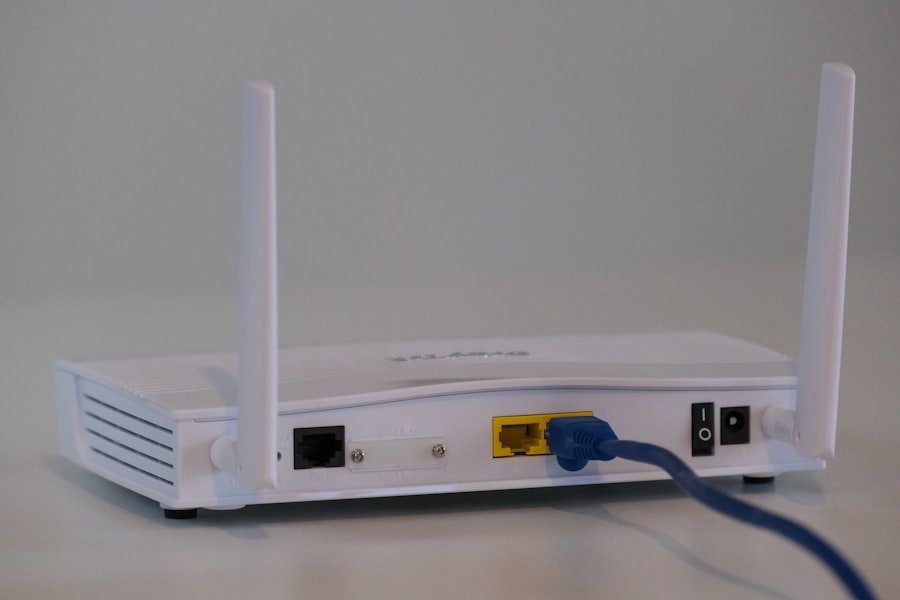
One of the standout features of mesh Wi-Fi systems is their scalability; adding additional nodes can significantly enhance coverage in larger homes or areas with challenging layouts. When considering expansion, it’s essential to assess your current network performance and identify specific areas where coverage is lacking. Many manufacturers offer additional nodes that are designed to integrate seamlessly with existing systems, allowing for easy expansion without complicated setup processes.
When adding new nodes, placement remains critical. Ideally, new nodes should be positioned within range of existing nodes to maintain strong communication links while extending coverage into previously underserved areas. It’s also advisable to monitor network performance after adding new nodes; many mesh systems provide analytics tools that allow you to track signal strength and device connections across the network.
This data can help you make informed decisions about further adjustments or expansions as needed.
Integrating Mesh Systems with Smart Home Devices
As smart home technology continues to proliferate, integrating these devices with your mesh Wi-Fi system becomes increasingly important for maintaining seamless connectivity and functionality. Many modern mesh systems are designed with smart home integration in mind, offering compatibility with popular platforms such as Amazon Alexa and Google Assistant. This allows users to control their smart devices through voice commands or centralized apps, enhancing convenience and usability.
When integrating smart home devices, it’s crucial to ensure that your mesh system can handle the additional load on your network. Smart devices often require constant connectivity and may generate significant traffic depending on their functions (e.g., security cameras streaming video). Configuring Quality of Service (QoS) settings can help prioritize bandwidth for these devices, ensuring they operate smoothly without disrupting other network activities.
Additionally, regularly monitoring device connections and performance can help identify any potential issues before they impact your smart home experience.
Future Developments in Mesh Wi-Fi Technology
The landscape of mesh Wi-Fi technology is continually evolving, driven by advancements in networking standards and user demands for faster, more reliable connectivity. One significant trend is the adoption of Wi-Fi 6 (802.11ax), which offers improved speed, capacity, and efficiency compared to previous standards. Mesh systems utilizing Wi-Fi 6 technology can support more simultaneous connections while reducing latency, making them ideal for households with numerous devices.
Looking ahead, developments in artificial intelligence (AI) and machine learning are poised to further enhance mesh networking capabilities. Future systems may incorporate AI-driven algorithms that automatically optimize network performance based on real-time usage patterns and environmental conditions. This could lead to even more efficient bandwidth allocation and improved user experiences as networks adapt dynamically to changing demands.
As smart home technology continues to expand, mesh systems will likely evolve to support an even broader range of devices and applications, solidifying their role as essential components of modern home networking solutions.
FAQs
What is a Wi-Fi Mesh System?
A Wi-Fi mesh system is a network of interconnected devices that work together to provide seamless and reliable Wi-Fi coverage throughout a home or office space. These systems use multiple access points to create a single, unified network, eliminating dead zones and ensuring consistent connectivity.
How does a Wi-Fi Mesh System work?
A Wi-Fi mesh system works by using multiple access points, or nodes, to create a network that blankets an area with Wi-Fi coverage. These nodes communicate with each other to ensure that devices are always connected to the strongest and fastest signal, providing a seamless and reliable Wi-Fi experience.
What are the benefits of using a Wi-Fi Mesh System?
Some of the benefits of using a Wi-Fi mesh system include eliminating Wi-Fi dead zones, providing consistent and reliable connectivity throughout a space, and the ability to easily expand the network by adding additional nodes. These systems also often come with advanced features such as parental controls, guest networks, and easy-to-use mobile apps for managing the network.
How do I set up a Wi-Fi Mesh System?
Setting up a Wi-Fi mesh system typically involves connecting the main router or base station to the modem, and then placing additional nodes throughout the space to extend the network coverage. Many Wi-Fi mesh systems come with easy-to-follow setup instructions and mobile apps that guide users through the installation process.
What are some popular Wi-Fi Mesh Systems on the market?
Some popular Wi-Fi mesh systems on the market include Google Nest Wifi, Eero, Netgear Orbi, TP-Link Deco, and Linksys Velop. These systems vary in terms of features, performance, and price, so it’s important to research and compare different options before making a purchase.