
Screen resolution refers to the number of distinct pixels that can be displayed on a screen, typically expressed as width x height. For instance, a resolution of 1920 x 1080 means the display has 1,920 pixels horizontally and 1,080 pixels vertically. This measurement is crucial because it directly influences the clarity and detail of the images and text displayed on the screen.
Higher resolutions generally provide sharper images, allowing for more detail to be visible, which is particularly important for tasks such as graphic design, video editing, and gaming. The evolution of screen resolutions has been significant over the years. Early computer monitors often featured resolutions like 640 x 480 (VGA) or 800 x 600 (SVGA), which now seem rudimentary compared to modern standards.
As technology advanced, so did the demand for higher resolutions, leading to the development of HD (1280 x 720), Full HD (1920 x 1080), Quad HD (2560 x 1440), and even 4K (3840 x 2160) displays. Each step up in resolution not only enhances visual fidelity but also impacts how users interact with their devices, making it essential to understand these differences when selecting a laptop or monitor.
Key Takeaways
- Understanding screen resolutions is important for choosing the right display for your needs.
- Aspect ratio refers to the proportional relationship between the width and height of a screen.
- Common laptop screen resolutions include HD (1366×768), Full HD (1920×1080), and 4K (3840×2160).
- Choosing the right resolution depends on your usage, such as productivity, gaming, or multimedia.
- Resolution and aspect ratio greatly impact image quality, so it’s important to consider these factors when selecting a laptop.
What is Aspect Ratio?
Aspect ratio is the proportional relationship between a display’s width and height. It is expressed as two numbers separated by a colon, such as 16:9 or 4:3. The first number represents the width, while the second indicates the height.
This ratio plays a critical role in determining how content is displayed on a screen. For example, a 16:9 aspect ratio is commonly used in widescreen televisions and monitors, making it ideal for watching movies and playing video games, as it closely matches the format used in most modern media. Different aspect ratios cater to various needs and preferences.
The traditional 4:3 aspect ratio was prevalent in older televisions and computer monitors, providing a more square-like display that was suitable for office applications and early video content. However, as media consumption shifted towards widescreen formats, the 16:9 aspect ratio became the standard for most laptops and monitors. Emerging formats like 21:9 are gaining popularity among gamers and film enthusiasts, offering an immersive experience that enhances peripheral vision and depth perception during gameplay or while watching films.
Common Laptop Screen Resolutions
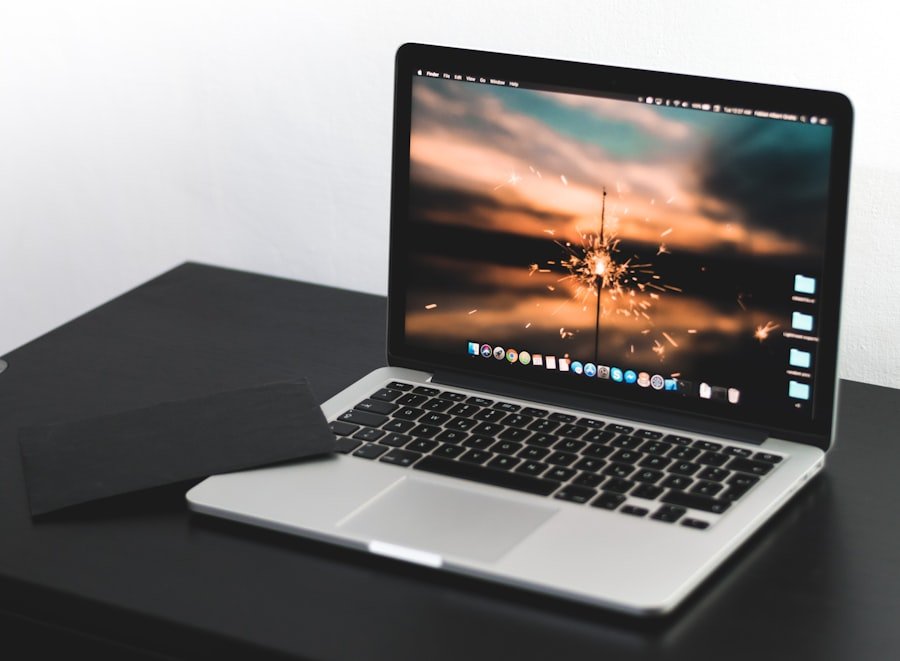
When it comes to laptops, several screen resolutions have become standard across various models and brands. The most common resolution is Full HD (1920 x 1080), which strikes a balance between clarity and performance. This resolution is widely used in mid-range laptops, providing sufficient detail for everyday tasks such as web browsing, document editing, and streaming videos without putting excessive strain on the device’s graphics capabilities.
Another popular resolution is Quad HD (2560 x 1440), which offers even greater detail and is often found in higher-end laptops aimed at professionals in creative fields. This resolution allows for more screen real estate, making it easier to work with multiple applications simultaneously or to edit high-resolution images and videos. Additionally, some premium laptops now feature 4K displays (3840 x 2160), which deliver stunning visuals with incredible detail.
While these displays are excellent for media consumption and creative work, they can be demanding on battery life and require more powerful hardware to run effectively.
How to Choose the Right Resolution for Your Needs
| Resolution | Definition | Common Uses |
|---|---|---|
| 720p (1280×720) | Standard HD | Streaming, gaming, basic video editing |
| 1080p (1920×1080) | Full HD | High-quality video streaming, gaming, professional video editing |
| 1440p (2560×1440) | Quad HD | High-resolution gaming, graphic design, video editing |
| 4K (3840×2160) | Ultra HD | High-quality video production, professional photography, gaming |
Selecting the appropriate screen resolution for your laptop depends on several factors, including your primary use case, budget, and personal preferences. For general use—such as browsing the internet, checking emails, or working on documents—a Full HD resolution is typically sufficient. It provides a clear image without overwhelming the hardware, ensuring smooth performance for everyday tasks.
For professionals who engage in graphic design, video editing, or gaming, higher resolutions like Quad HD or even 4K may be more suitable. These resolutions allow for finer detail and greater accuracy in color representation, which is crucial for creative work. However, it’s essential to consider the capabilities of your laptop’s graphics card; a high-resolution display paired with an underpowered GPU can lead to lagging performance and a frustrating user experience.
Additionally, if you frequently travel or work in different environments, you might want to prioritize portability over resolution; in such cases, a laptop with a lower resolution but better battery life could be more advantageous.
Impact of Resolution and Aspect Ratio on Image Quality
The interplay between resolution and aspect ratio significantly affects image quality and user experience. A higher resolution generally means more pixels are packed into the same physical space, resulting in sharper images and finer details. However, if the aspect ratio does not align with the content being viewed—such as watching a widescreen movie on a 4:3 display—users may experience letterboxing or stretching of images, which can detract from the overall viewing experience.
Moreover, the pixel density—measured in pixels per inch (PPI)—is another critical factor that influences image quality. A display with a high resolution but low pixel density may still appear pixelated if viewed up close. Conversely, a lower resolution with high pixel density can produce surprisingly sharp images at typical viewing distances.
This is particularly relevant for laptops where users often work at closer ranges than they would with larger monitors or televisions.
Adjusting Screen Resolutions and Aspect Ratios
Most operating systems provide users with options to adjust screen resolutions and aspect ratios according to their preferences or needs. In Windows, for instance, users can navigate to the display settings to select from available resolutions based on their monitor’s capabilities. This flexibility allows users to optimize their viewing experience depending on whether they are gaming, watching videos, or working on detailed projects.
Adjusting aspect ratios can be slightly more complex since it often depends on both the content being displayed and the capabilities of the software being used. Some applications allow users to change the aspect ratio within their settings; for example, video players often provide options to stretch or crop video content to fit different screen sizes. However, forcing an image or video into an incompatible aspect ratio can lead to distortion or loss of important visual information.
Therefore, understanding how to adjust these settings effectively can enhance both productivity and enjoyment when using a laptop.
Considerations for Gaming and Multimedia
For gamers and multimedia enthusiasts, both resolution and aspect ratio are paramount in creating an immersive experience. Many modern games are designed with widescreen formats in mind; thus, a laptop with a 16:9 or even an ultra-wide 21:9 aspect ratio can provide a more engaging experience by allowing players to see more of the game world at once. Higher resolutions like Quad HD or 4K can also enhance visual fidelity in games that support them, making environments look more realistic and detailed.
However, gamers must also consider their hardware capabilities when selecting a laptop for gaming purposes. A high-resolution display requires a powerful graphics card to maintain smooth frame rates; otherwise, players may experience lag or stuttering during gameplay. Additionally, many gamers prefer higher refresh rates—measured in hertz (Hz)—which indicate how many times per second the display refreshes its image.
A laptop with a refresh rate of 120Hz or higher can provide smoother motion during fast-paced gaming scenarios compared to standard 60Hz displays.
Future Trends in Laptop Screen Resolutions and Aspect Ratios
As technology continues to advance at a rapid pace, future trends in laptop screen resolutions and aspect ratios are likely to evolve significantly. One notable trend is the increasing adoption of OLED (Organic Light Emitting Diode) displays in laptops. OLED technology offers superior contrast ratios and vibrant colors compared to traditional LCD screens, enhancing both image quality and energy efficiency.
As OLED becomes more mainstream in laptop manufacturing, we can expect higher resolutions combined with improved color accuracy. Another trend is the growing popularity of ultra-wide displays that feature aspect ratios like 21:9 or even wider formats. These displays cater to both gamers seeking immersive experiences and professionals who benefit from increased screen real estate for multitasking purposes.
As software applications become more sophisticated and capable of utilizing wider formats effectively, we may see a shift towards these aspect ratios becoming standard in future laptop designs. Additionally, advancements in display technology may lead to even higher resolutions beyond 4K becoming commonplace in laptops aimed at creative professionals or high-end gaming markets. With developments such as 8K displays already emerging in other sectors of technology, it is plausible that laptops will soon follow suit as manufacturers strive to meet consumer demand for unparalleled visual experiences.
In conclusion, understanding screen resolutions and aspect ratios is essential for making informed decisions when selecting laptops tailored to specific needs—whether for general use, gaming, or professional applications. As technology continues to evolve rapidly, staying informed about these trends will help consumers choose devices that not only meet their current requirements but also adapt to future advancements in display technology.
FAQs
What is screen resolution?
Screen resolution refers to the number of pixels that can be displayed on a screen. It is usually represented by the number of pixels in the horizontal and vertical dimensions, such as 1920×1080.
What is aspect ratio?
Aspect ratio is the proportional relationship between the width and height of a screen. Common aspect ratios for laptops include 16:9 and 16:10.
How does screen resolution affect image quality?
Higher screen resolutions generally result in sharper and more detailed images, as there are more pixels packed into the display. Lower resolutions may result in pixelation and less clarity.
What are common laptop screen resolutions?
Common laptop screen resolutions include 1366×768 (HD), 1920×1080 (Full HD), and 2560×1440 (QHD). Some high-end laptops may also have 4K resolutions (3840×2160).
How does aspect ratio affect the viewing experience?
The aspect ratio can affect how content is displayed on the screen. For example, a 16:9 aspect ratio is ideal for watching widescreen videos, while a 16:10 aspect ratio may provide more vertical screen space for productivity tasks.
Can laptop screen resolutions and aspect ratios be customized?
Some laptops may allow for customization of screen resolutions and aspect ratios through display settings or graphics card settings. However, it is important to note that changing these settings may affect the clarity and quality of the display.