
In an increasingly digital world, the significance of online privacy cannot be overstated. As individuals engage in various online activities—ranging from social networking to online banking—their personal information is constantly at risk of being exposed. Data breaches, identity theft, and unauthorized surveillance have become commonplace, making it essential for users to understand the implications of their digital footprints.
The collection of personal data by corporations and governments has raised concerns about how this information is used, stored, and shared. With the rise of targeted advertising and data mining, individuals often find themselves at the mercy of algorithms that dictate their online experiences based on their personal information. Moreover, the importance of online privacy extends beyond individual concerns; it has broader implications for society as a whole.
The erosion of privacy can lead to a chilling effect on free speech, as individuals may feel less inclined to express their opinions or engage in discussions that could attract unwanted attention. In authoritarian regimes, the lack of privacy can stifle dissent and suppress freedom of expression. Thus, understanding online privacy is not merely a personal concern but a societal imperative that affects democratic values and civil liberties.
As technology continues to evolve, so too must our understanding of how to protect our privacy in an interconnected world.
What is a Virtual Private Network (VPN) and How Does it Work?
A Virtual Private Network (VPN) is a technology that creates a secure and encrypted connection over a less secure network, such as the Internet. By routing your internet traffic through a VPN server, your data is encapsulated in a secure tunnel, making it difficult for third parties to intercept or monitor your online activities. This process not only protects your data from potential eavesdroppers but also masks your IP address, providing an additional layer of anonymity while browsing the web.
When you connect to a VPN, your device communicates with the VPN server instead of directly with the websites you visit, effectively hiding your true location and identity. The mechanics behind a VPN involve several protocols that govern how data is transmitted securely. Common protocols include OpenVPN, L2TP/IPsec, and IKEv2/IPsec, each offering varying levels of security and speed.
When you initiate a connection to a VPN, your device sends a request to the VPN server, which then authenticates your credentials. Once authenticated, the server assigns you a new IP address from its pool of addresses, allowing you to appear as if you are browsing from a different location. This capability is particularly useful for accessing geo-restricted content or bypassing censorship imposed by certain governments or organizations.
Choosing the Right VPN Provider for Your Needs
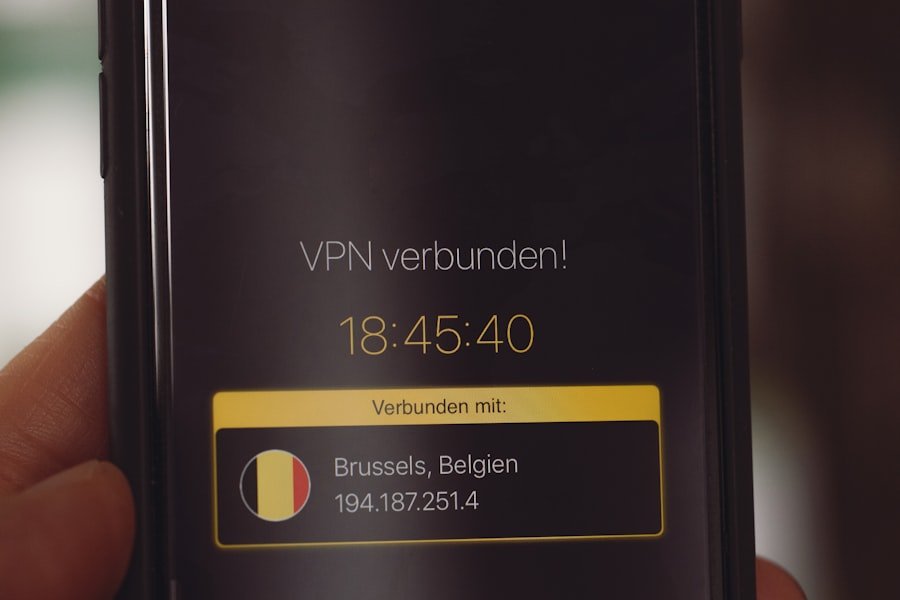
Selecting the right VPN provider is crucial for ensuring that your online privacy is adequately protected. With numerous options available in the market, it is essential to consider several factors before making a decision. First and foremost, assess the provider’s privacy policy and logging practices.
A reputable VPN should have a strict no-logs policy, meaning they do not store any information about your online activities. This is vital for maintaining anonymity and ensuring that your data cannot be accessed or sold to third parties. Another important consideration is the geographical distribution of servers offered by the VPN provider.
A diverse range of servers across multiple countries allows users to bypass geo-restrictions effectively and access content from various regions. Additionally, consider the speed and performance of the VPN service. Some providers may offer faster connections than others, which can significantly impact your browsing experience, especially when streaming videos or downloading large files.
User reviews and independent testing can provide valuable insights into the performance and reliability of different VPN services.
Setting Up and Configuring Your VPN
| VPN Configuration Step | Details |
|---|---|
| Choose VPN Protocol | Options: OpenVPN, L2TP/IPsec, PPTP, SSTP, IKEv2 |
| Server Address | Enter the IP address or domain name provided by VPN service |
| Authentication | Username and Password or Certificate |
| Encryption | Options: AES-256, AES-128, 3DES, etc. |
| Connection Type | Options: TCP, UDP |
Setting up a VPN is generally a straightforward process, but it can vary depending on the provider and the device you are using. Most reputable VPN services offer user-friendly applications for various platforms, including Windows, macOS, Android, and iOS. After subscribing to a VPN service, you will typically receive instructions on how to download and install the application on your device.
Once installed, you will need to log in using your account credentials. After logging in, configuring your VPN settings is essential for optimizing your experience. Many VPN applications come with default settings that are suitable for most users; however, you may want to customize certain features based on your needs.
For instance, enabling the kill switch feature can prevent your internet connection from being exposed if the VPN connection drops unexpectedly. Additionally, some users may prefer to select specific servers based on their desired location or purpose—such as streaming or torrenting—to enhance performance further.
Best Practices for Using a VPN
While using a VPN significantly enhances your online privacy, adopting best practices can further bolster your security. One fundamental practice is to ensure that your VPN software is always up-to-date. Regular updates often include security patches that protect against newly discovered vulnerabilities.
Additionally, consider using strong authentication methods such as two-factor authentication (2FA) when available. This adds an extra layer of security by requiring not only your password but also a second form of verification. Another best practice involves being mindful of what information you share online while connected to a VPN.
Although a VPN encrypts your internet traffic and masks your IP address, it does not make you immune to all forms of tracking or data collection. For instance, websites may still track your activity through cookies or other tracking technologies unless you take steps to manage these settings. Using browser extensions that block ads and trackers can complement your VPN usage by minimizing the amount of data collected about you.
Common Misconceptions about VPNs
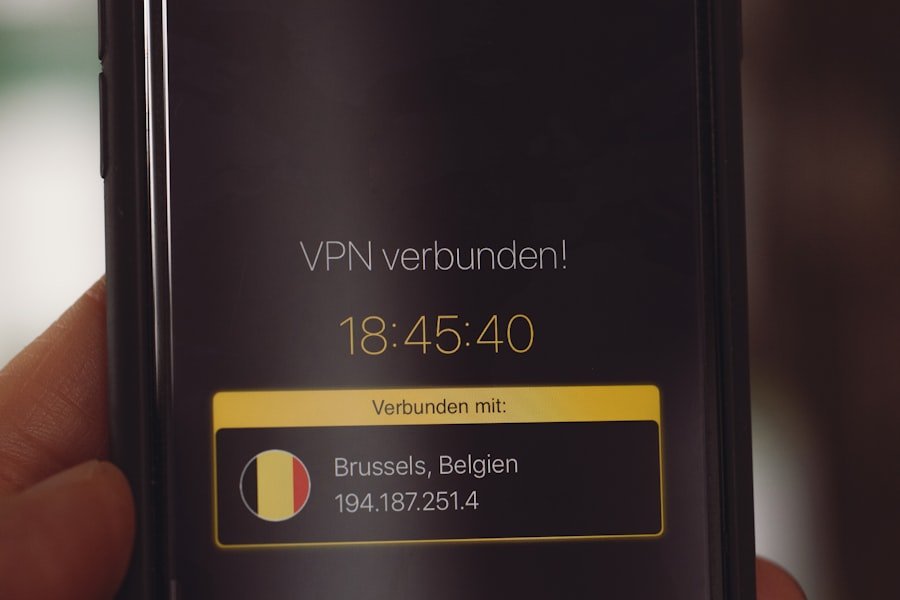
Despite their growing popularity, several misconceptions about VPNs persist in public discourse. One common myth is that using a VPN guarantees complete anonymity online. While a VPN does provide significant privacy benefits by encrypting your data and masking your IP address, it does not make you entirely invisible on the internet.
Websites can still track user behavior through cookies and other tracking mechanisms unless additional measures are taken to mitigate this tracking. Another misconception is that all VPNs are created equal in terms of security and performance. In reality, there are vast differences among providers regarding encryption standards, logging policies, server locations, and overall reliability.
Some free VPN services may compromise user privacy by logging data or injecting ads into browsing sessions. Therefore, it is crucial to conduct thorough research before selecting a VPN provider to ensure that it meets your specific needs for security and performance.
Additional Steps for Enhancing Online Privacy
While using a VPN is an effective way to enhance online privacy, it should be part of a broader strategy that includes additional measures for safeguarding personal information. One such measure is employing strong passwords across all accounts and utilizing password managers to keep track of them securely. Strong passwords should be unique for each account and include a mix of letters, numbers, and special characters.
Furthermore, consider using encrypted messaging applications for private communications. Apps like Signal or WhatsApp offer end-to-end encryption, ensuring that only the intended recipients can read the messages exchanged between users. Additionally, regularly reviewing privacy settings on social media platforms can help limit the amount of personal information shared publicly.
By taking these extra steps alongside using a VPN, individuals can create a more comprehensive approach to protecting their online privacy.
The Future of Online Privacy and VPN Technology
As technology continues to advance at an unprecedented pace, the landscape of online privacy will inevitably evolve as well. The increasing prevalence of artificial intelligence (AI) and machine learning in data analysis raises concerns about how personal information will be utilized in the future. As companies seek to leverage user data for targeted advertising and other purposes, individuals must remain vigilant about their online privacy rights.
VPN technology itself is also likely to undergo significant advancements in response to emerging threats and user demands for enhanced security features. Innovations such as quantum encryption may revolutionize how data is secured during transmission over networks. Additionally, as more people become aware of their digital rights and seek ways to protect their privacy online, the demand for reliable and effective VPN services will likely continue to grow.
In conclusion, understanding online privacy is essential in today’s digital age where personal information is constantly at risk. A Virtual Private Network (VPN) serves as an effective tool for enhancing privacy by encrypting internet traffic and masking IP addresses. However, choosing the right provider and implementing best practices are crucial steps in maximizing security benefits.
As technology evolves, so too must our strategies for protecting our online identities against emerging threats.
FAQs
What is a Virtual Private Network (VPN)?
A Virtual Private Network (VPN) is a technology that creates a secure and encrypted connection over a less secure network, such as the internet. It allows users to securely access and transmit data over public networks as if their devices were directly connected to a private network.
How does a VPN work?
A VPN works by creating a secure tunnel between the user’s device and a remote server. This tunnel encrypts the data being transmitted, making it difficult for third parties to intercept or access the information. The remote server then accesses the internet on behalf of the user, masking their IP address and location.
What are the benefits of using a VPN?
Using a VPN provides several benefits, including enhanced security and privacy, the ability to bypass geographic restrictions and censorship, and the ability to access private networks remotely. It also helps protect sensitive data from hackers and other malicious actors.
Is using a VPN legal?
In most countries, using a VPN is legal. However, some countries have restrictions on the use of VPNs, particularly for accessing censored or restricted content. It’s important to be aware of the laws and regulations regarding VPN usage in your specific location.
What are the different types of VPNs?
There are several types of VPNs, including remote access VPNs, site-to-site VPNs, and mobile VPNs. Remote access VPNs allow individual users to connect to a private network from a remote location, while site-to-site VPNs connect entire networks together. Mobile VPNs are designed for mobile devices and provide secure access to network resources while on the go.